WebCompositor
A Photoshop-like pixel editor in the browser
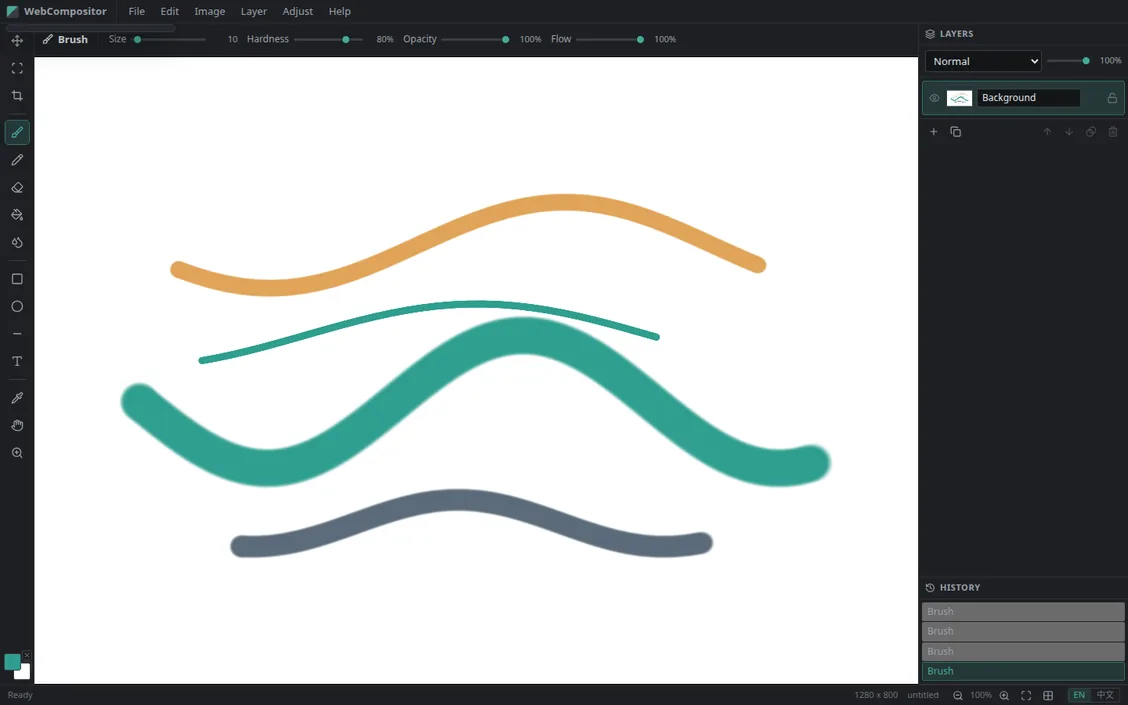
A Photoshop-like pixel editor that runs entirely in your browser: a Rust/wasm pixel core drives brush, eraser, fill, gradient and layer blending, with fifteen tools, full layer and history panels, and a bilingual EN/中文 interface. Open the page and paint - nothing to install, nothing uploaded; the canvas and the history stay in your own browser.
Start here
No install: this page is the door
The editor is same-origin with this page: click to load it in-page, or open it full-page in a new tab. Canvas, layers and history all run locally in your browser; not one stroke is uploaded to a server.
Click to load the editor in-page, same-origin with this page; it opens full-page too.
Open in a new tabThe core
Pixels in wasm, interface in the browser
A Rust/wasm pixel core
Brush, eraser, fill, gradient and layer blending all run inside a wasm core compiled from Rust; the interface only issues commands and reads results, so stroke latency depends on neither network nor server.
Layers and history
The layer panel handles blending modes, opacity, visibility, ordering, duplication and deletion; the history panel records every step and rolls back on demand. Both panels read the same core state as the canvas - there is no second source of truth.
Ready on open
No account, no install, no upload: the canvas defaults to 1280 × 800 with size and zoom live in the status bar; the interface is bilingual, switched from the bottom-right of that same bar.
Tools
Fifteen tools, one column on the left
From move to zoom, each tool is one icon in the left toolbar; the brush family adds four live parameters - size, hardness, opacity and flow - in a top bar that follows the selected tool.