HomeBody: A Humanoid That Explores, Remembers, and Acts on Its Own
Stanford TML's HomeBody drops the learned VLA middle layer: GPT Astra calls a library of composable skills on a Unitree G1, backed by a digital twin and persistent spatial memory the robot builds by exploring a home it has never seen, then tidies an unseen kitchen and fetches medicine with no task-specific training.
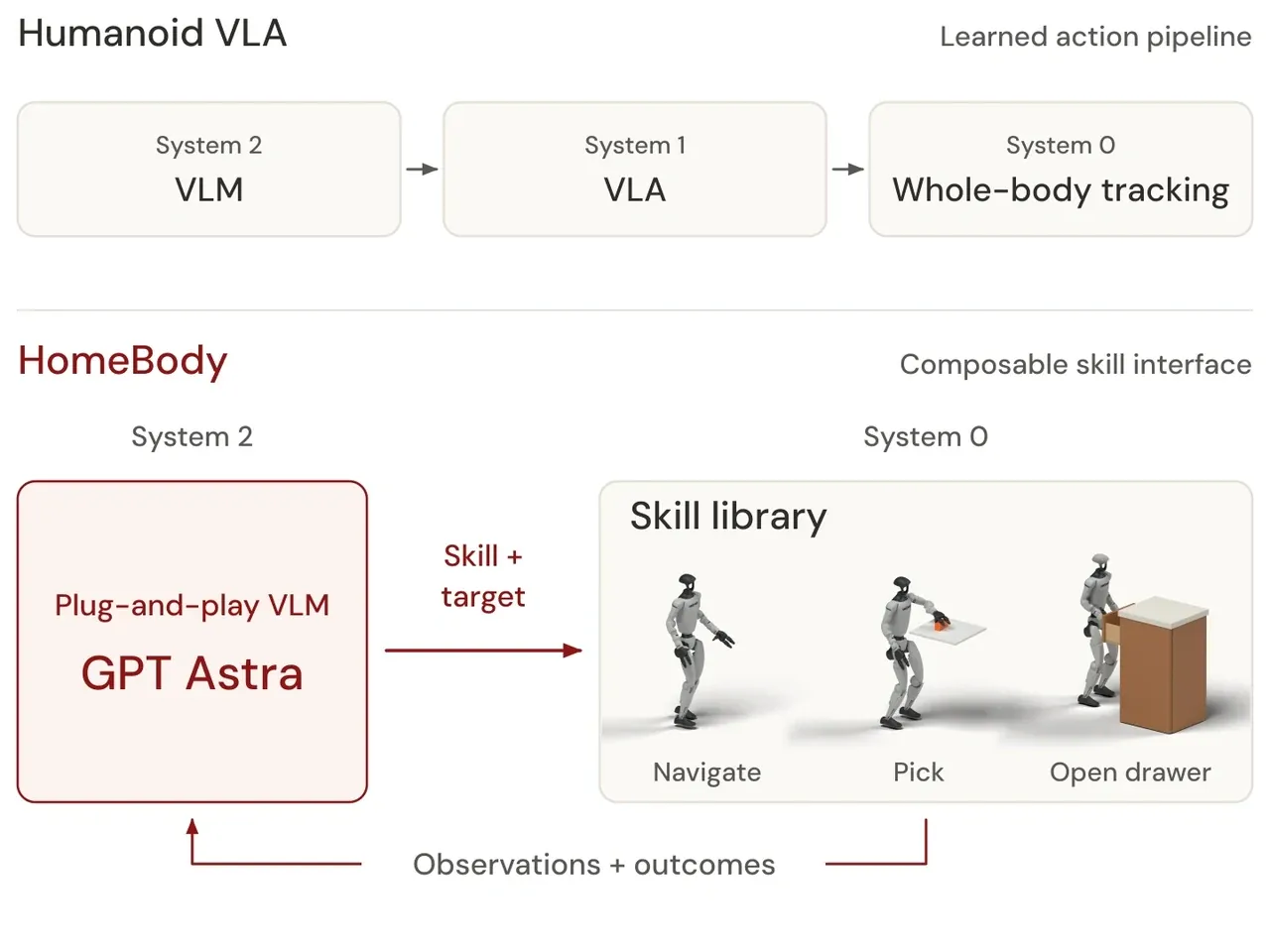
Humanoid autonomy has a familiar recipe: a System 2 VLM reads visual observations and instructions, a learned System 1 VLA turns reasoning into commands, and a System 0 controller executes coordinated motion. HomeBody, from Stanford's The Movement Lab (TML), asks a sharper question: as frontier VLMs such as Astra become more capable, is a learned VLA still needed between high-level reasoning and the robot's skills? Can System 2 directly orchestrate a library of reusable motor skills?
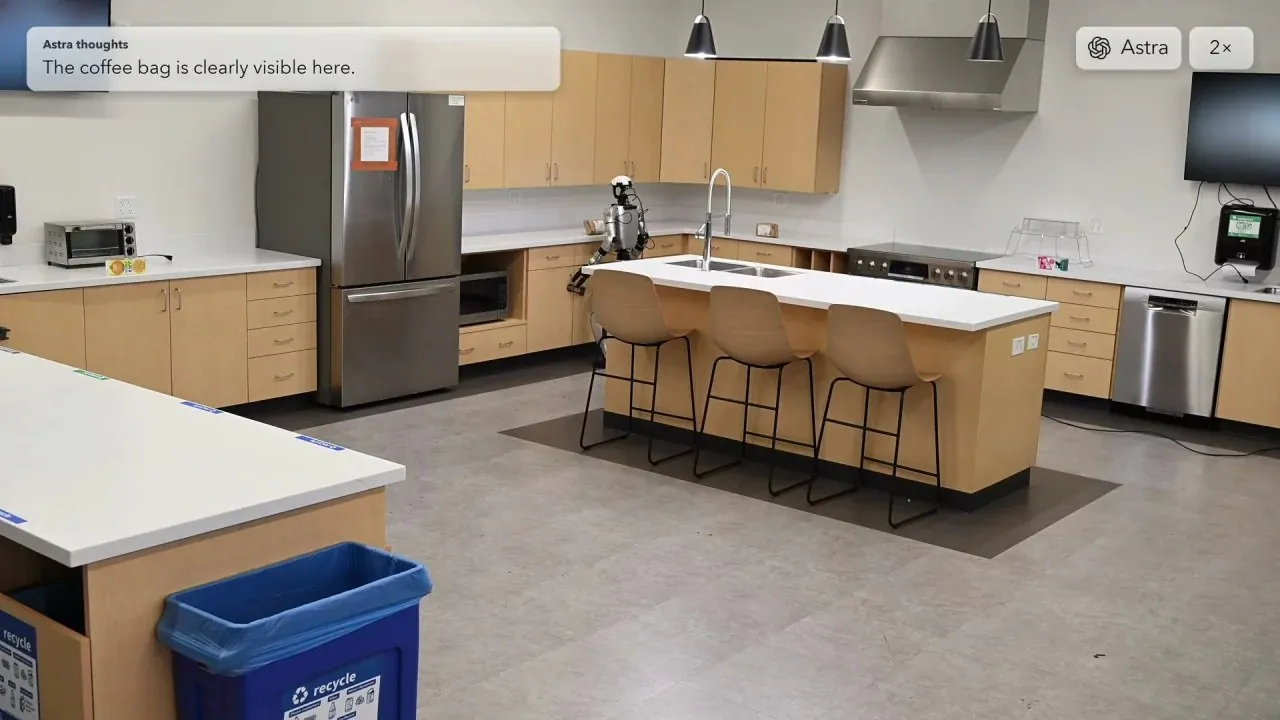
Their answer is HomeBody: a system that equips frontier VLMs with persistent spatial memory and composable humanoid skills for long-horizon tasks. In a previously unseen kitchen, a Unitree G1 guided by GPT Astra gathers coffee bags onto the island and discards spoiled milk and orange-juice cartons; it also retrieves a remembered medicine bottle from an underspecified request ("I forgot my medicine, can you get it for me?") and hands it to a person. No environment-specific training data, no additional policy learning.
01. Two long-horizon demos: tidying the kitchen and retrieving the medicine
Clean up all of the coffee bags and put them in the middle, and throw away all of the milk and orange juice cartons that have gone bad.
Cleaning the kitchen means deciding what to keep, what to throw away and how to move each object to the right place. HomeBody gathers the coffee bags on the island and discards the specified cartons, coordinating repeated trips, grasps and placements across the room. Its view changes with every move, so memory and action feedback help it track what is done and what still needs attention.
Capability tags: multi-object cleanup · task sequencing · navigation + manipulation
I forgot my medicine, can you get it for me? Also throw out the bad carton while you are at it.
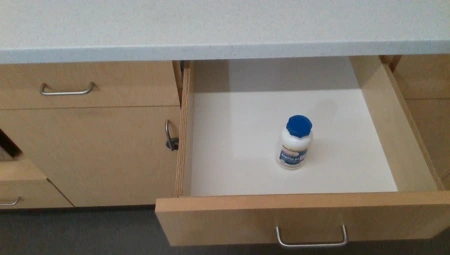
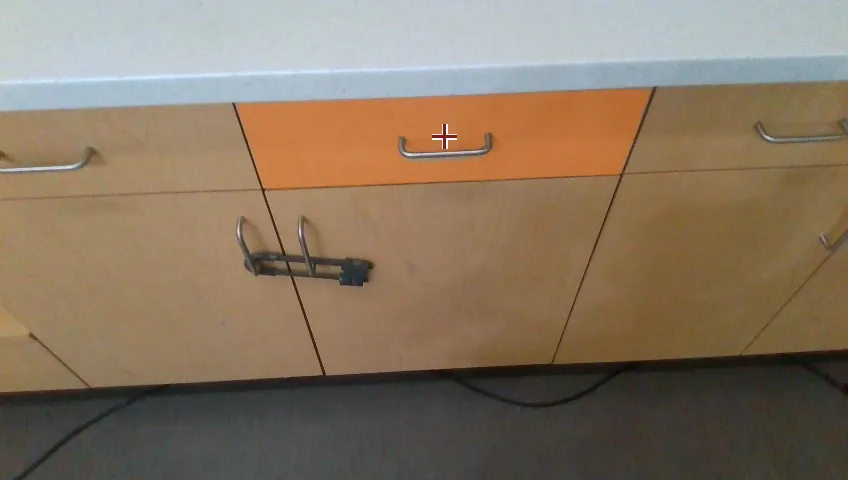
The medicine is initially out of view. HomeBody uses stored keyframes to locate the drawer, retrieves the medicine, hands it to the person, and then discards the carton. Across the room, it uses the right hand to grasp the drawer handle and open the drawer, then the left hand to discard the carton. Selecting between the two arms lets it access targets on both sides of the body.
Capability tags: occluded object · memory retrieval · right-hand drawer opening · left-hand carton disposal
02. Spatial memory: turning unseen places into addressable locations
Long-horizon loco-manipulation takes a humanoid beyond what its ego view can show. To act across a room, it needs an internal spatial model that connects visible objects with remembered locations and helps resolve ambiguous requests. This context guides where to go, what to act on and how to sequence walking and manipulation. HomeBody combines that spatial memory with composable skills whose execution feedback lets the VLM revise its next decision when an action or transition fails.
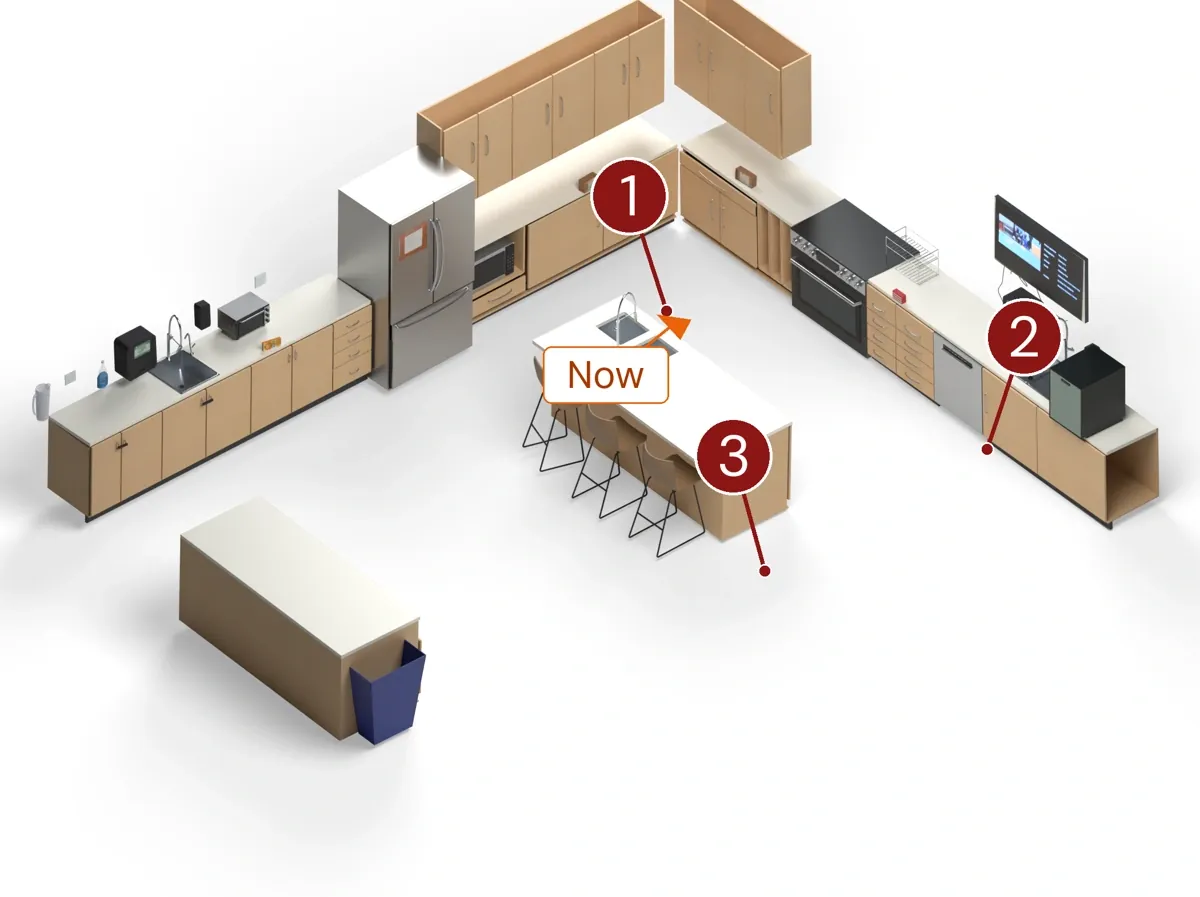
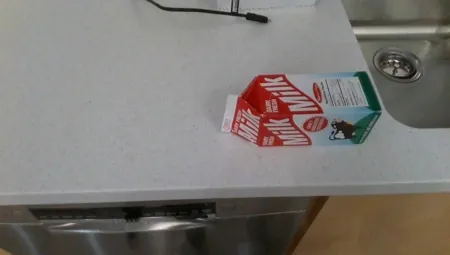
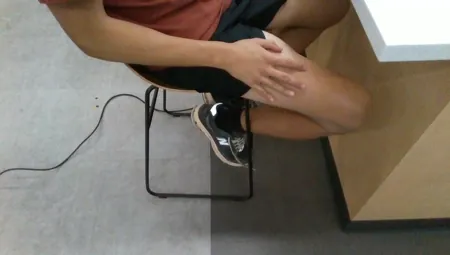
Memory takes the form of stored ego keyframes plus the descriptive content attached to each frame, both held in the shared coordinate frame registered by Super Odometry and ICP. The three frames below register the medicine bottle in the drawer, the carton on the counter by the sink, and the person seated at the island waiting to receive the hand-off. At recall time they are presented alongside the current observation, and the VLM decides what happens next.
03. Deployment in three steps: explore, Real2Sim, then an everyday task
Step 1 · Explore
You are a kitchen robot, please explore the space!
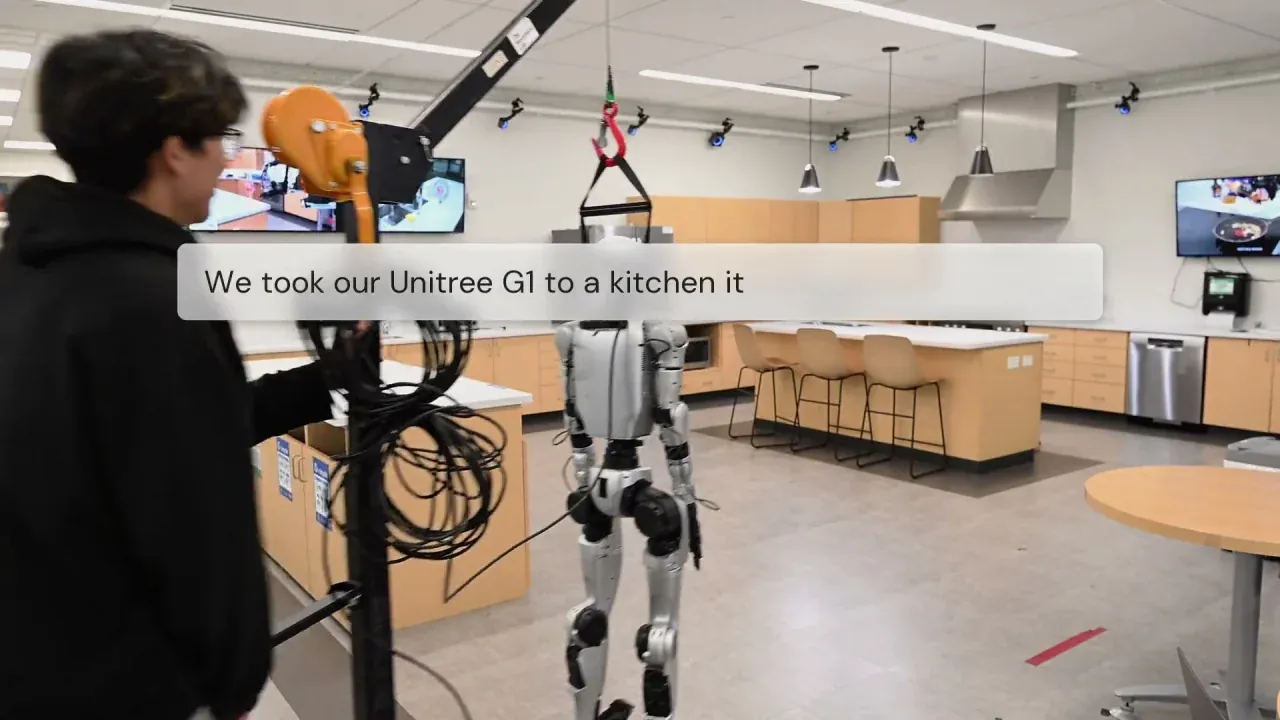
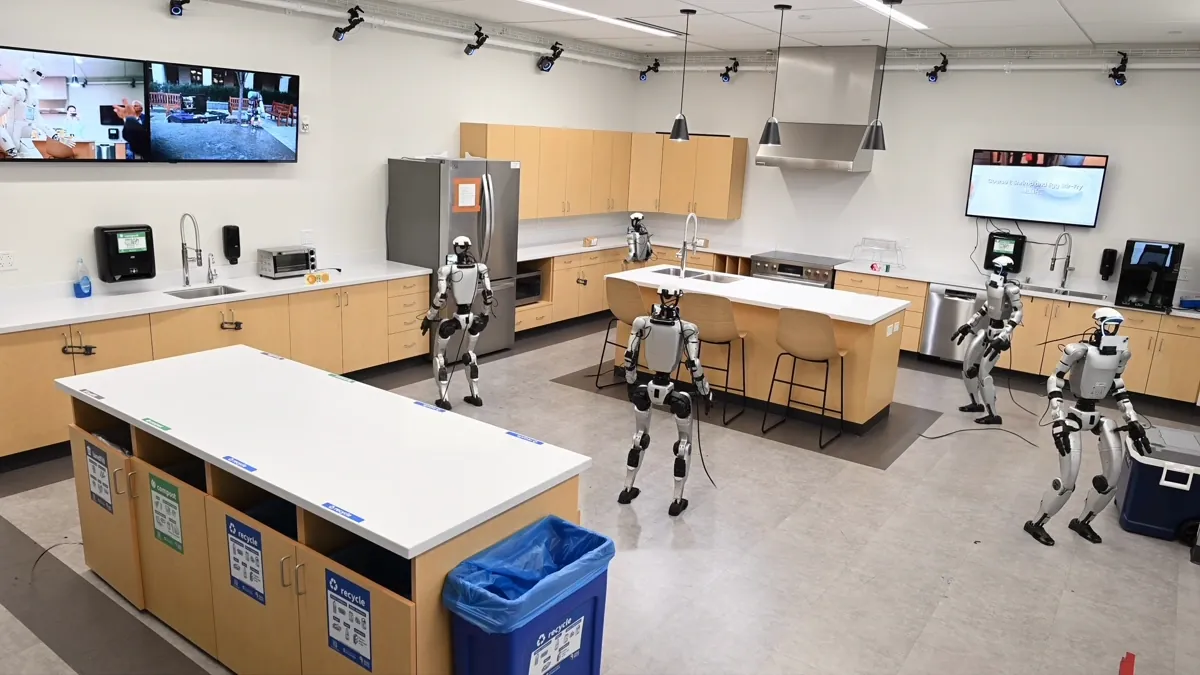
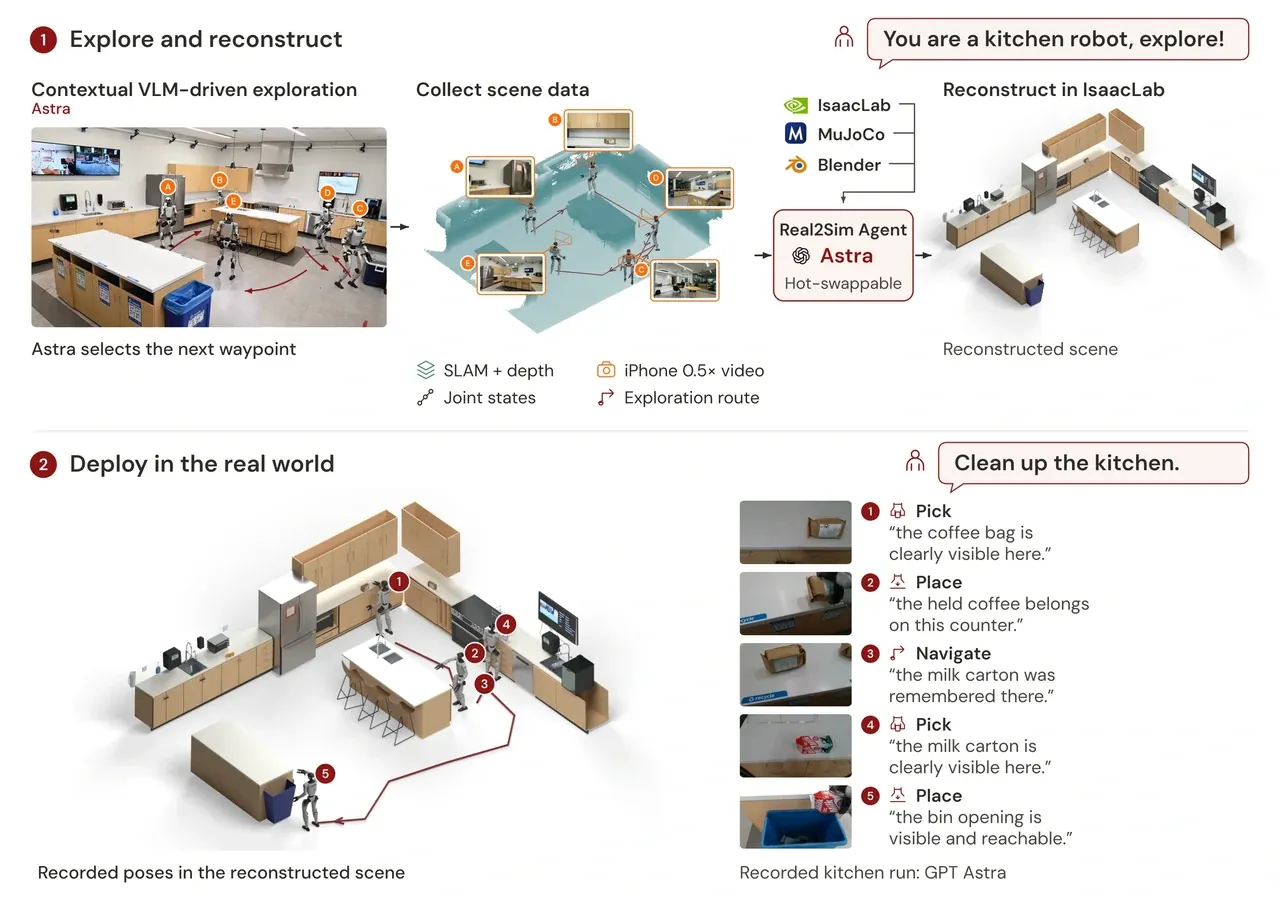
First, the humanoid is told its role and let loose on an unseen environment. HomeBody collects 0.5× iPhone video, D435i camera observations, LiDAR scans with SLAM, joint poses and waypoints chosen by Astra. Exploration captures the room from the humanoid's own viewpoint, grounding its spatial context in what it can see as it moves and interacts with the space; the context is retained when objects leave the ego view.
Step 2 · Real2Sim
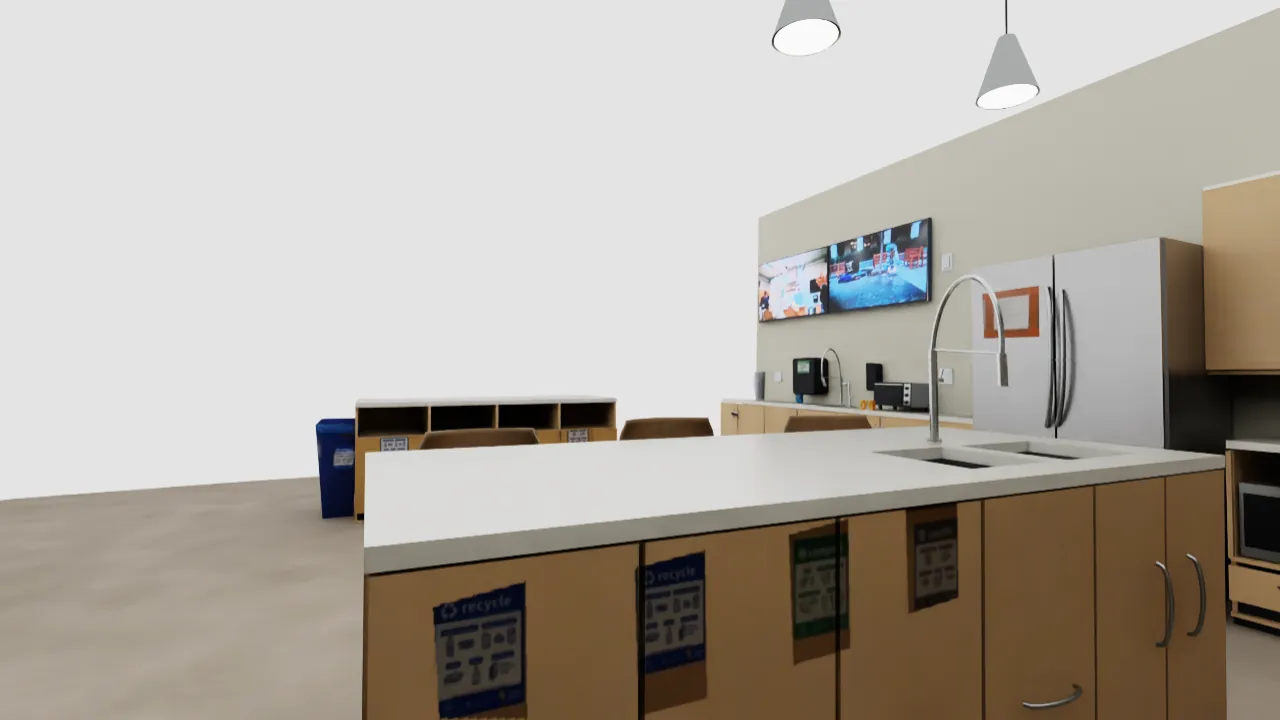
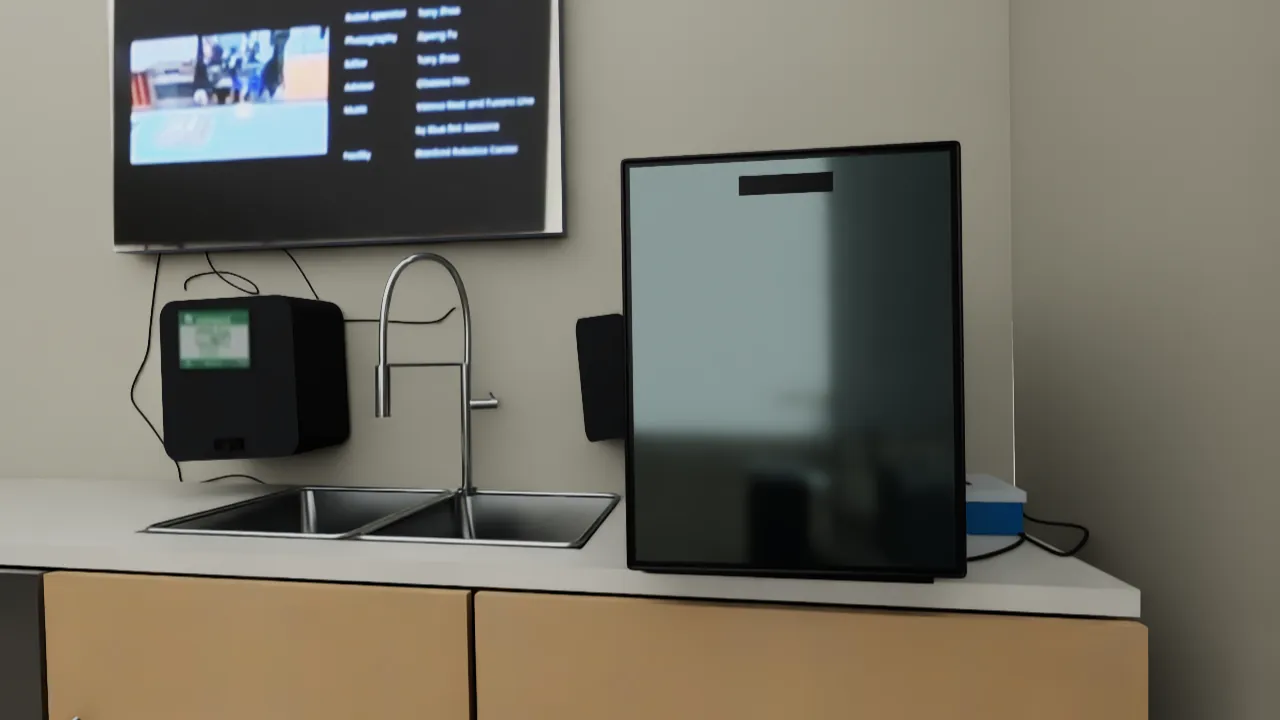
HomeBody uses Astra as its Real2Sim agent to build a digital twin in Isaac Sim from the humanoid's own collected data. This grounds its observations in a spatial model of the world, helping the high-level VLM reason about locations beyond the ego view.
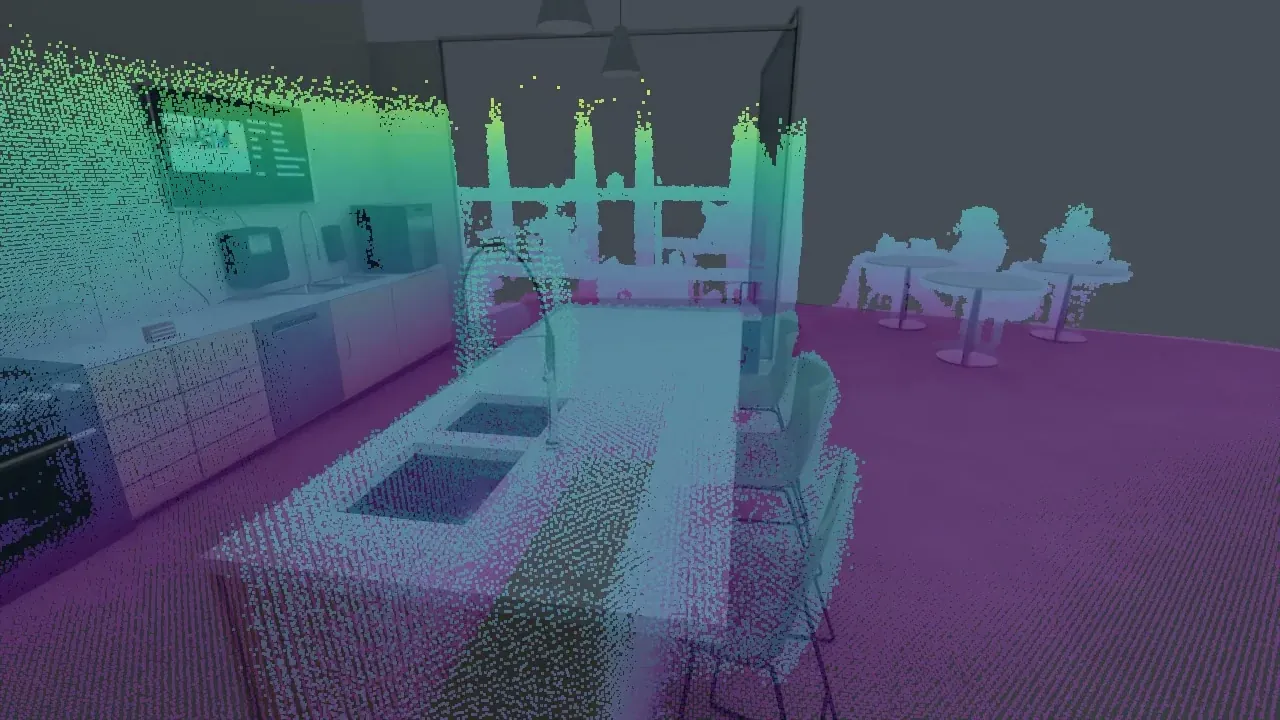
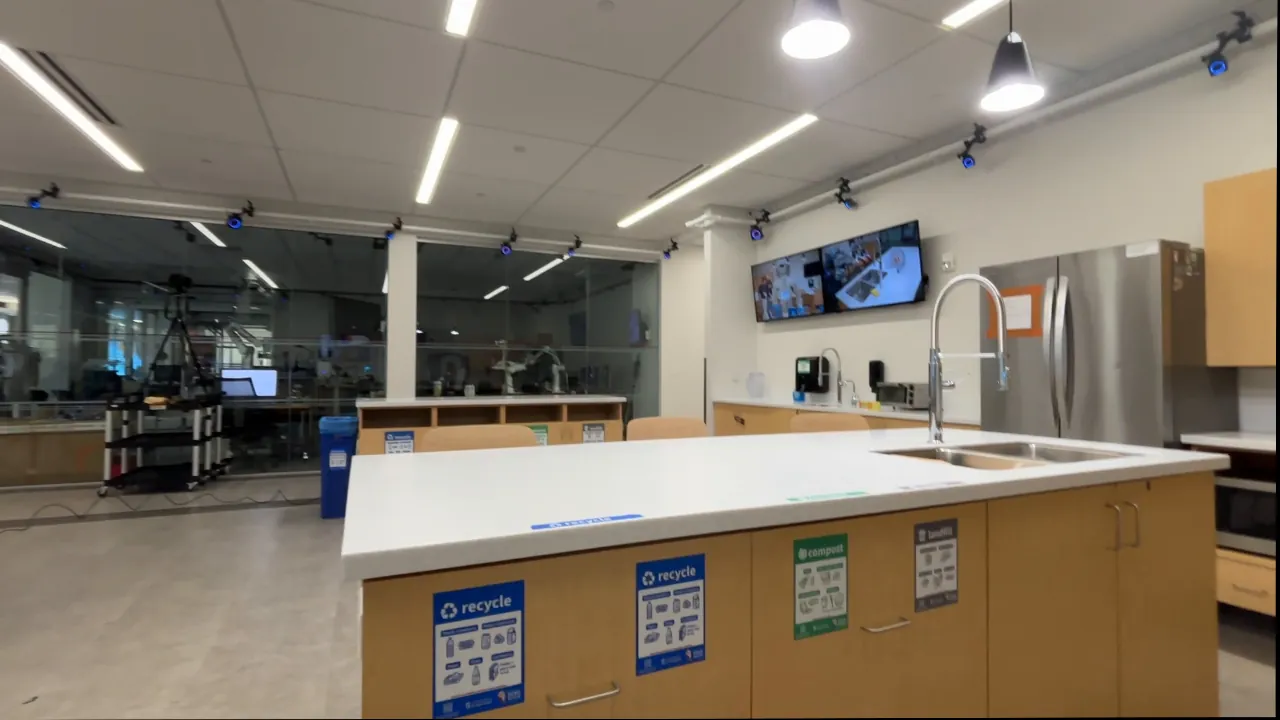
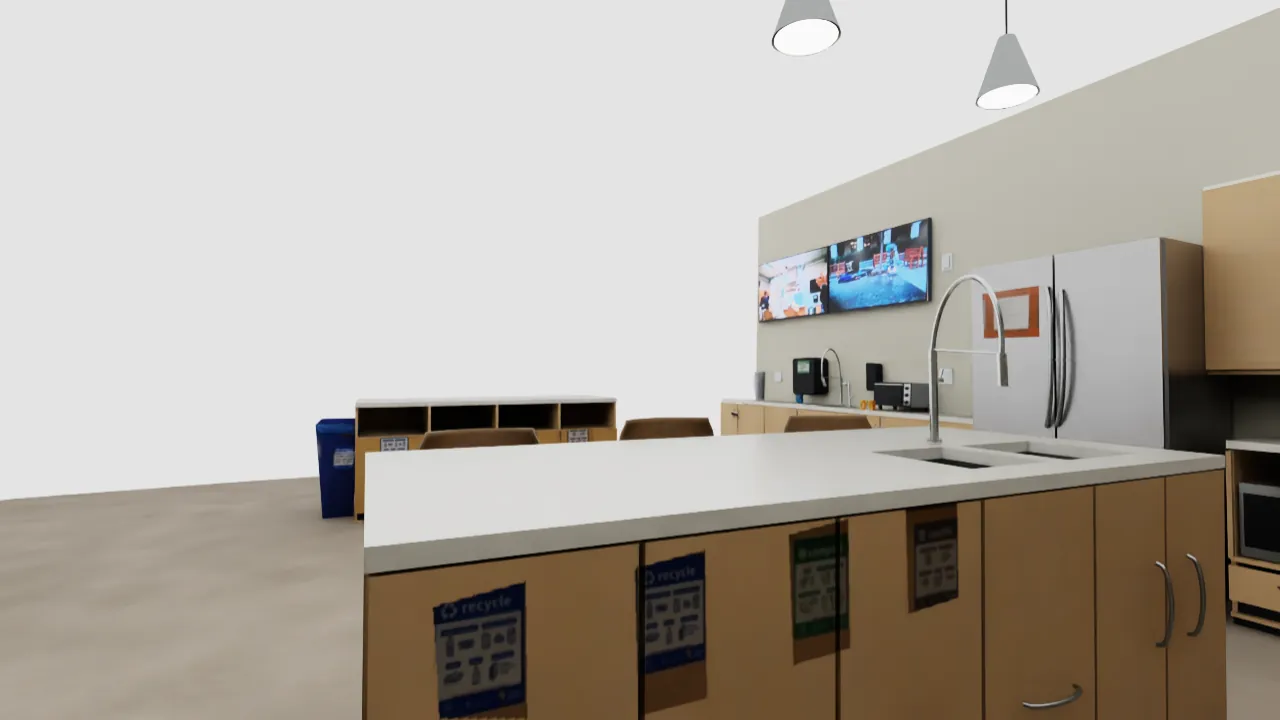
The project page answers "what is required for accurate Real2Sim reconstruction?" with a three-way comparison: human-recorded video alone gives rich appearance but only estimated dimensions; a SLAM reference gives measured geometry but no appearance; HomeBody hands the Real2Sim agent camera observations, measured SLAM geometry, joint poses and selected waypoints, so the twin is geometrically, semantically and visually accurate.
| Reconstruction input | Appearance | Geometry | Result |
|---|---|---|---|
| Human-recorded video | Rich visual detail for aligning appearance | Room dimensions estimated from looks | Looks right, measures wrong |
| SLAM reference | None | Measured geometry constrains dimensions | Measures right, looks wrong |
| HomeBody (this work) | Robot-collected camera observations | Measured SLAM geometry + joint poses + selected waypoints | Geometrically, semantically and visually accurate |
Two matched camera views (refrigerator wall, glass-corner sink) are the evidence: real kitchen photograph on the left, digital-twin render from the same viewpoint on the right.
Step 3 · Give it an everyday task
Tidy up the kitchen. Put the coffee bags on the island and throw away the spoiled cartons.
An instruction like this is all it takes. HomeBody uses its spatial context to choose actions and targets without an action-level script.
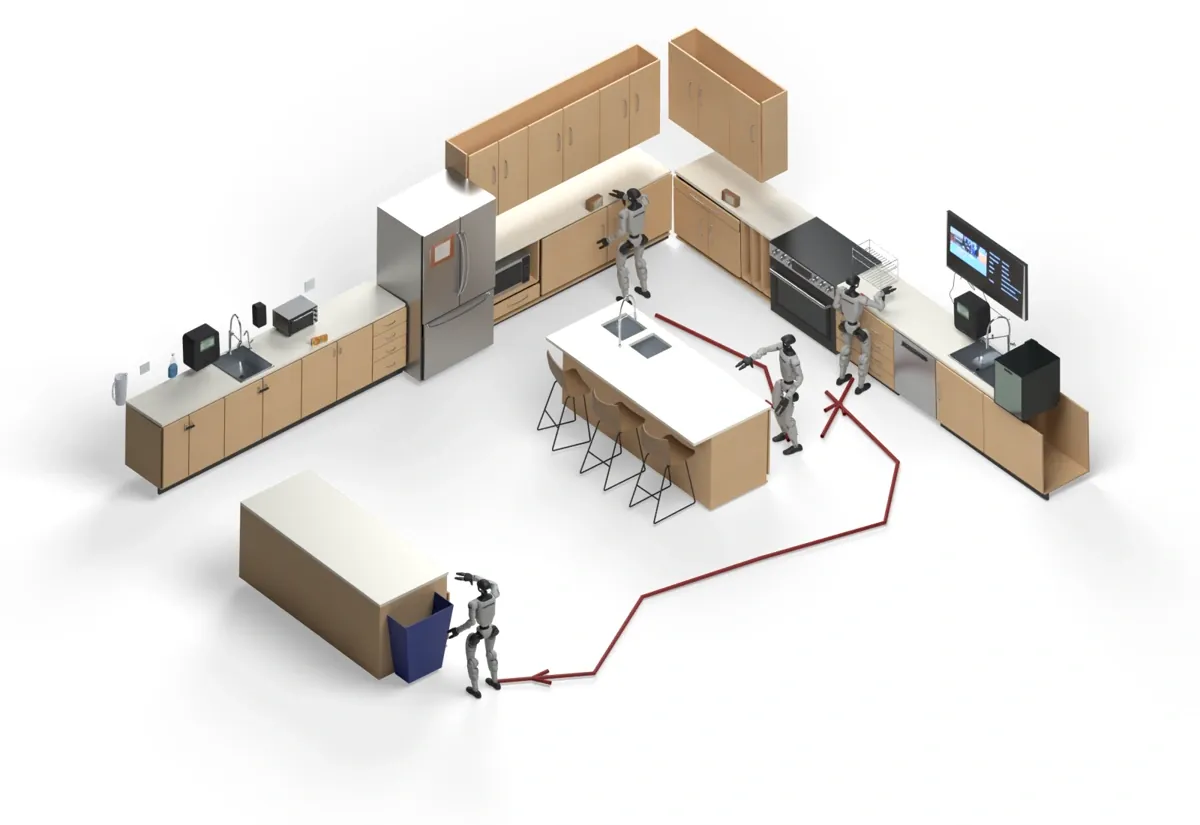
In the recorded run shown on the project page, GPT Astra's decision sequence and reasons read:
Pick — "the coffee bag is clearly visible here."
Place — "the held coffee belongs on this counter."
Navigate — "the milk carton was remembered there."
Pick — "the milk carton is clearly visible here."
Place — "the bin opening is visible and reachable."
04. The skill library: five verbs and one shared interface
Navigation, picking, placing and drawer opening form HomeBody's action vocabulary. Skills share an interface for targets and execution results, so the VLM can compose them at deployment; local retries and visual feedback correct execution errors.
| Skill | Target specification | Execution notes |
|---|---|---|
| Pick | Image point normalized to 0-1000 + which hand | Segmentation, stereo depth, calibrated 3D projection, analytic grasp, spline + IK + swept collision check |
| Place | Which hand + 3D release target in torso frame + release distance | Moves the held object to the target and opens the hand |
| Open drawer | Handle alignment target | Handle alignment, hooking posture and backward walking in one skill |
| Pick from drawer | Image point inside the open drawer | Reaches in and lifts the object clear of the drawer edge |
| Navigate | 2D goal + facing point in map coordinates (meters) | Follows a planned route to a location in the Real2Sim map |
The previews below are sped up to about 7-10 seconds; drawer opening and grasping keep their recorded reattempts. The drawer-pick preview starts with the drawer open and keeps the retries continuous, slowing down only for the final successful grasp (14× to 4×).
The library is open-ended: connect a learned policy, a classical algorithm or another controller through the shared interface, and HomeBody's VLM can chain it with existing skills to carry out new tasks.
05. From a VLM decision to physical action
HomeBody uses spatial targets to connect task reasoning to physical execution. The VLM selects a skill and its target from the current ego view, map context, gripper state, recalled observations and the previous result, and passes this selection through a structured tool call, leaving the skill to plan and execute the motion. The VLM therefore does not need to know the skill's low-level implementation.
flowchart TD
  A["VLM selects skill + target: image point 0-1000 + hand"] --> B["SAM 2 segments the point"]
  B --> C["Fast-FoundationStereo depth from D435i stereo"]
  C --> D["Camera calibration projects masked geometry to 3D"]
  D --> E["Grasp predicted analytically"]
  E --> F["Minimum-jerk spline reference + IK along path"]
  F --> G["Swept-motion collision clearance check"]
  G --> H["Execute; outcome returned to the VLM"]
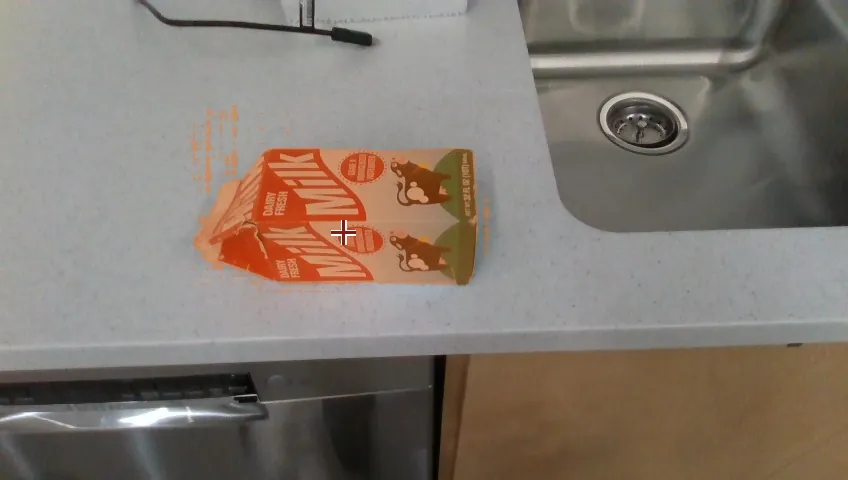
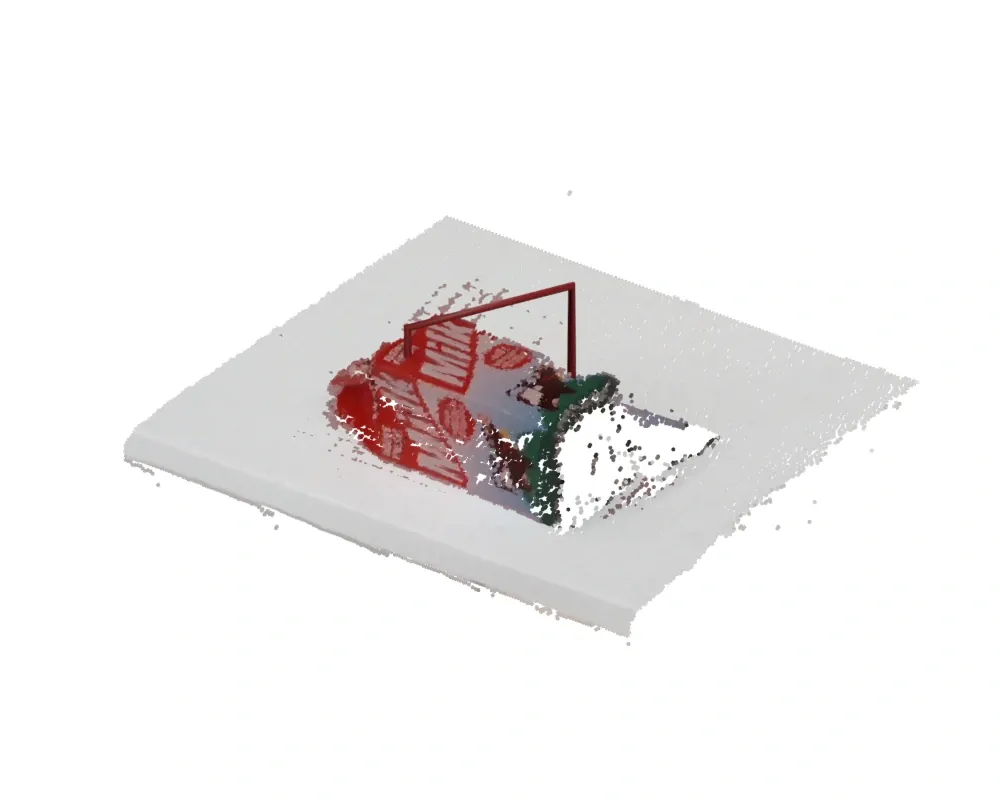
Other skills use targets suited to their actions: navigation takes a 2D goal and facing point in map coordinates, measured in meters; a placing call specifies which hand to use, a 3D release target in the torso frame and a release distance; drawer opening combines handle alignment, a hooking posture and backward walking into one skill, coordinating the transition from reaching to pulling.
06. Localization and retries: a shared frame and bounded retries
To plan how to complete a task, HomeBody needs to know both where relevant objects are and where the G1 is relative to them. To ground these decisions in a shared coordinate frame, it localizes the G1 with Super Odometry and aligns its SLAM map with the reconstructed simulation using iterative closest point (ICP) registration. Ego camera observations are stored in this shared frame together with descriptive content, so HomeBody can return to recorded positions.
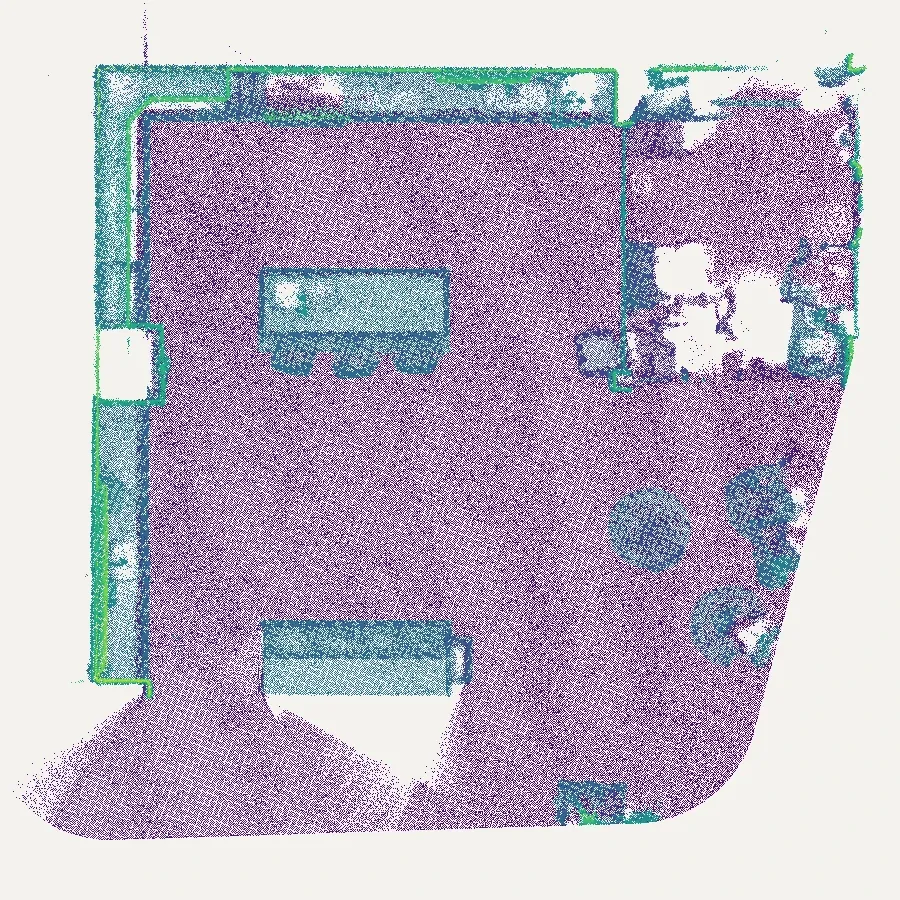
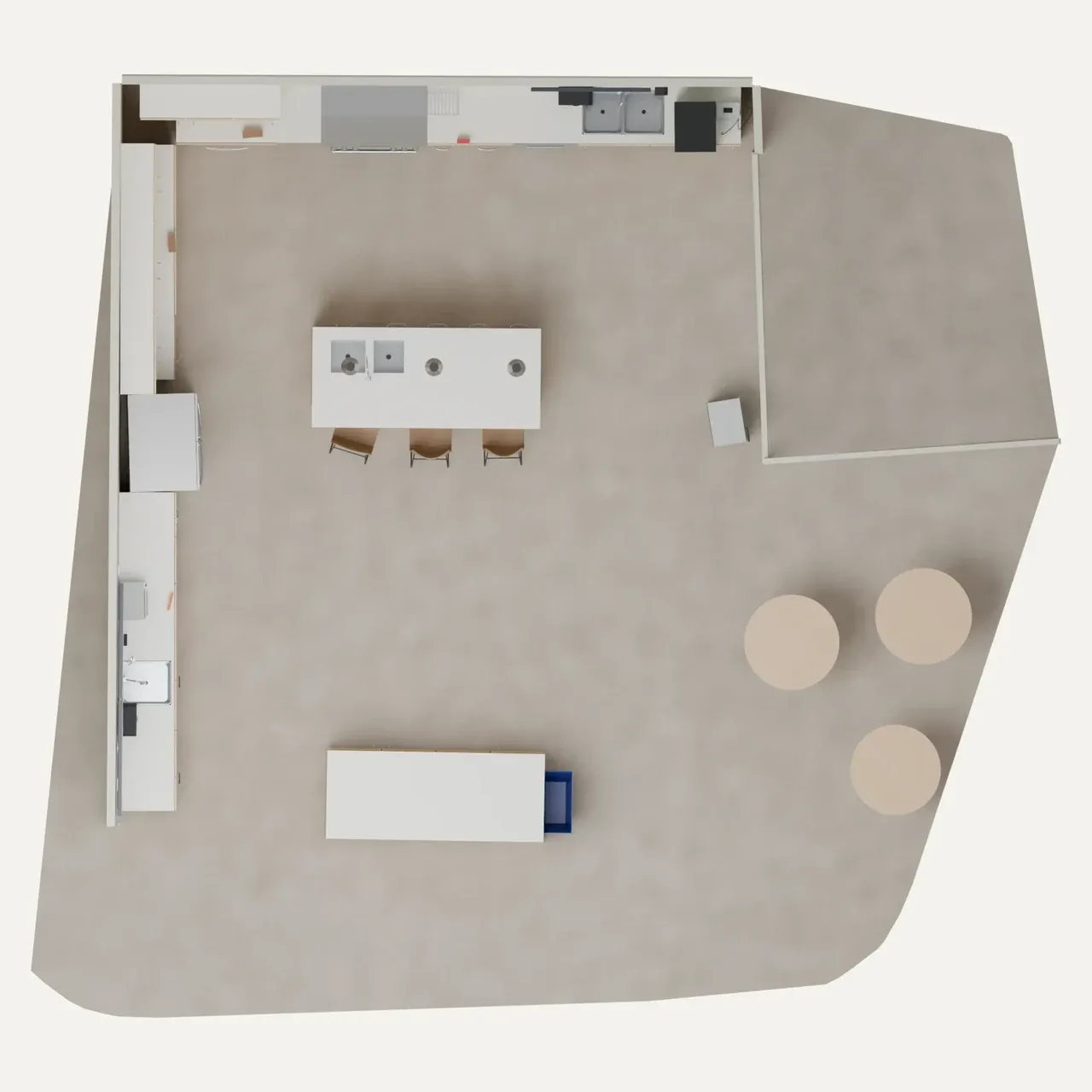
The target can shift in the camera view as the humanoid approaches. Segmentation identifies the object, and SAM 2.1 tracking with SAMURAI memory selection follows it in subsequent frames; visual servoing uses these tracking updates to correct alignment during the approach, without requiring a new VLM decision for each adjustment.
If a grasp closes without contact, the pick skill can try another grasp candidate or adjust its stance and replan. These local retries are bounded. When recovery is exhausted or the failure needs a different action, the skill returns the reason to the VLM, which can reposition, choose a new target or change its plan.
07. Whole-body control and the compute ledger
Long-horizon loco-manipulation requires maintaining balance while the upper body reaches and manipulates. HomeBody uses pretrained AMO for its upper-body-aware lower-body control, which accounts for arm targets when coordinating the lower body. Arm and hand commands run at 250 Hz, with the AMO policy updated every fifth control tick at 50 Hz.
The current skills run alongside perception and motion planning on a single Razer Blade laptop with an RTX 4090 GPU. GPT Astra runs remotely, sending skill requests and targets to the laptop and receiving execution results: local skill execution plus network access to a frontier model makes for a lightweight setup in the wild.
| Loop | Rate | Responsibility |
|---|---|---|
| Arm / hand commands | 250 Hz | Track spline references through grasps and placements |
| AMO whole-body policy | 50 Hz (every 5th tick) | Upper-body-aware lower-body coordination and balance |
| VLM decisions (remote Astra) | Per skill call | Pick skill and target, read outcomes, replan on failure |
08. Scope, costs, and our reading
The project page is candid about scope: Real2Sim reconstruction adds setup time and API costs; task length is constrained by the humanoid's reach, manipulation capabilities and hardware endurance, including finger-servo overheating during extended operation; GPT Astra's reasoning latency introduces pauses between skills; and the current local stack requires an RTX 4090 laptop GPU, with heavier perception models or skills likely needing more compute.
Our reading (added in this edition): what HomeBody really trades is the location of the cost. The VLA route spends on data collection and training and buys cheap inference at deployment; HomeBody spends on a per-room reconstruction and frontier-model API bills, and buys zero task training, since new rooms and new instructions require no further learning. In that trade, spatial memory is the load-bearing wall: without the keyframes, their attached descriptions and the registered coordinates, every VLM decision would stand on the current frame alone, and long-horizon tasks would degrade into a chain of isolated short ones. The strength of the evidence deserves equal candor: the two demos are qualitative success recordings, reconstruction remains a per-room offline procedure, and the pauses between skills are still set by model latency. HomeBody reads as an existence proof that a learned VLA is not strictly necessary, complementary to rather than replacing the route that feeds VLAs with large-scale egocentric data.
flowchart LR
  V["GPT Astra (System 2)"] -->|"skill + target"| S["Skill library (System 0 execution)"]
  S -->|"observations + outcomes"| V
  M["Spatial memory: keyframes + per-frame descriptions + SLAM-registered frame"] --> V
  S -->|"new observations written back"| M
09. Acknowledgments, references and open-source plan
Gio Huh is supported by Caltech as a Mark Reinecke SURF Fellow for research on long-horizon humanoid loco-manipulation at The Movement Lab, Stanford University, and participated in Stanford's Undergraduate Visiting Research Intern (UGVI) program. The authors thank the Stanford Robotics Center (SRC) for providing the kitchen space, TML for API credits, and Alan Yu and Sarthak Kamat for insightful discussion.
References: [1] Super Odometry: IMU-centric LiDAR-Visual-Inertial Estimator for Challenging Environments; [2] NVIDIA Isaac Sim; [3] SAM 2: Segment Anything in Images and Videos; [4] Fast-FoundationStereo: Real-Time Zero-Shot Stereo Matching; [5] SAMURAI: Adapting Segment Anything Model for Zero-Shot Visual Tracking with Motion-Aware Memory; [6] AMO: Adaptive Motion Optimization for Hyper-Dexterous Humanoid Whole-Body Control.
The code is open source under Apache 2.0 at github.com/Stanford-TML/homebody. Per the README release schedule, the MuJoCo SIM backend shipped on 2026-10-05 (reproducing the SRC kitchen long-horizon runs with full physics, Unitree G1 + Dex3 hands, GPU optional), with REAL2SIM and REAL backends planned for 2026-10-12 and 2026-10-19. The README also records a "wrong memory" probe: after the carton was moved, Claude Opus found the moved carton twice, once after 29 minutes.
| Alias | Model | Status |
|---|---|---|
| astra | GPT-6 Astra | Default, validated |
| opus | Claude Opus 5.5 | Validated |
| sol / luna / terra | GPT-5.6 Sol / Luna / Terra | Configurable, not validated |
| fable / sonnet / haiku | Claude Fable 5.1 / Sonnet 5.5 / Haiku 4.5 | Configurable, not validated |
Source: Stanford The Movement Lab project page, "HomeBody: A Humanoid That Explores, Remembers, and Acts on Its Own" (tml.stanford.edu/homebody/, September 2026), by Gio Huh, Cayden Gu, Takara E. Truong, C. Karen Liu and Guy Tevet; code and README at github.com/Stanford-TML/homebody (Apache 2.0). This article is a full translation and adaptation; all images and videos come from the project page and repository. The Real2Sim comparison table, skill target table, control-rate table, model table and the two flow diagrams are added in this edition.
Source:Stanford TMLhttps://tml.stanford.edu/homebody/